The Best Minecraft Launcher for Modpacks and Mods in 2026 (Windows, Mac & Linux)
The Best Minecraft Launcher for Modpacks and Mods in 2026 (Windows, Mac & Linux)
Published: January 15, 2026
Estimated reading time: 10-12 minutes
If you play modded Minecraft in 2026, you’ve probably asked yourself:
What is the best Minecraft launcher for modpacks and mods, and which one should I actually use?
There are many options: the official Minecraft launcher, CurseForge, Prism Launcher, GDLauncher, ATLauncher, XMCL, SKlauncher and others. Choosing the best Minecraft launcher can be confusing, especially if you play on different systems like Windows 10, Windows 11, macOS or Linux.
In this guide, we’ll look at what makes a great launcher for modded Minecraft, how the most popular launchers compare, and why Cubion is designed to be a fast, safe and modpack-oriented choice.
Why This Guide Matters in 2026
The Minecraft launcher market has evolved significantly. Players now demand more than just basic functionality—they want security, speed, and seamless modpack management. This comprehensive comparison helps you make an informed decision based on real-world usage, not just marketing claims.
Key takeaway: The best launcher isn't always the most popular one. It's the one that matches your specific needs—whether that's official account security, cross-platform support, or advanced modpack features. This guide cuts through the noise to show you what actually matters.
Ready to Try the Best Minecraft Launcher?
Download Cubion for Windows, macOS, or Linux
Learn more about the Cubion Minecraft launcher →Why you need a dedicated Minecraft launcher for modpacks
The official Minecraft launcher is fine for vanilla. But once you start using large modpacks, switching versions, or playing on multiple PCs, you quickly run into limitations.
A dedicated minecraft modpack launcher helps you:
- keep different instances separated (no more broken worlds because you changed mods in the wrong folder);
- install and update modpacks in one click instead of manual download + drag-and-drop;
- manage Forge, Fabric, NeoForge and Quilt without editing files by hand;
- fix common crashes faster with better logs and tools.
If you regularly search for “best minecraft launcher” or “minecraft launcher for mods”, you’re exactly the kind of player Cubion is built for.
Built for modded Minecraft
A dedicated modpack launcher isn't just a convenience—it's essential for managing complex setups, preventing conflicts, and keeping your worlds safe when switching between different mod configurations.
What makes the best Minecraft launcher in 2026?
Before we compare launchers, let’s define what “best” actually means for modded Minecraft.
Official accounts only (no cracked launchers)
Account security matters. A good launcher in 2026:
- uses the official Microsoft / Mojang login flow;
- never asks for your password in a suspicious way;
- doesn’t promote “no-premium” / cracked copies.
If you want to keep your account safe, the best minecraft launcher must be official-only.
Security first
Supporting only official accounts protects your Minecraft account, your worlds, and the wider ecosystem of mod creators and server owners. No cracked accounts. No grey areas.
First-class support for modpacks and mods
The modern modding ecosystem lives on CurseForge and Modrinth. A strong minecraft modpack launcher should:
- install modpacks from these platforms in one click;
- manage dependencies automatically;
- support custom modpacks and your own instances.
Speed, stability and crash handling
Modded Minecraft is heavy. The launcher should help, not get in the way:
- fast downloads via CDN or mirrors;
- smart crash handling and logs;
- easy RAM settings and performance tweaks.
Cross-platform: Windows, Mac and Linux
Many players use more than one system. The best minecraft launcher:
- runs on Windows 10 and Windows 11;
- supports macOS without ugly workarounds;
- offers a smooth minecraft launcher linux experience.
Popular Minecraft launchers compared
This is not an exhaustive list, but a look at the launchers you’ll most often hear about in communities and forums.
Official Minecraft Launcher
Pros:
- simple, familiar, official;
- perfect for vanilla and light modding.
Cons for modpacks:
- no native CurseForge / Modrinth integration;
- weak instance management;
- limited tools for large, heavily modded setups.
Official vs. Modpack Launchers
The official launcher works great for vanilla Minecraft, but once you dive into modpacks, you'll want a launcher designed specifically for modded gameplay.
CurseForge App
Pros:
- huge catalog of mods and modpacks;
- easy installation and updates;
- multi-game support.
Cons:
- can feel heavy if you only care about Minecraft;
- not everyone likes the always-on background processes and ads.
Prism Launcher
Pros:
- open-source, community-driven;
- powerful instance management;
- good support for modded Minecraft on Windows, macOS, Linux.
Cons:
- UI can be overwhelming for new players;
- some features require manual setup or community add-ons.
GDLauncher
Pros:
- user-friendly interface;
- cross-platform (Windows, Mac, Linux);
- supports modpacks from CurseForge.
Cons:
- some advanced users find it less flexible than pure open-source alternatives;
ATLauncher
Pros:
- long-running, battle-tested launcher;
- curated list of modpacks;
- support for packs from multiple platforms.
Cons:
- interface feels dated to some players;
- less focused on modern UX.
XMCL and other launchers
There are also other strong options (XMCL, SKlauncher and more). They can offer:
- advanced modpack management;
- flexible UI and download options.
However, not every launcher focuses on official-only accounts, and not all of them are equally friendly to new modded players.
What to Look For
- ✓ Official account support only
- ✓ One-click modpack installation
- ✓ Cross-platform compatibility
- ✓ Smart crash recovery
- ✓ Clean, ad-free interface
- ✓ Active community support
Red Flags
- ✗ Cracked account support
- ✗ Invasive ads or bundled software
- ✗ Poor modpack management
- ✗ Limited platform support
- ✗ Outdated or confusing UI
- ✗ Weak crash handling
Meet Cubion – a fast, safe Minecraft launcher for modpacks
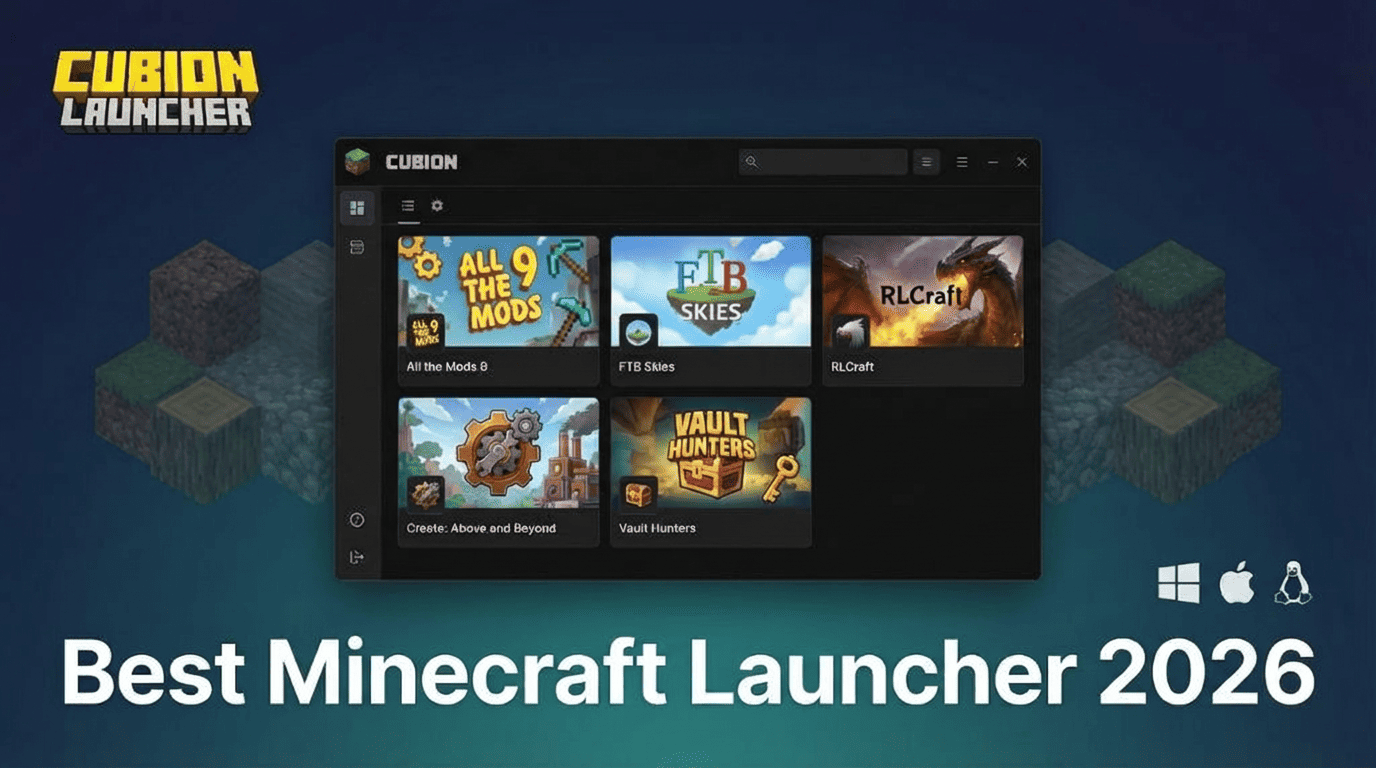
Now let’s talk about Cubion – a community-driven, open-source Minecraft launcher for modpacks and mods.
Official-only login and account safety
Cubion uses the official Microsoft / Mojang sign-in flow. That means:
- no cracked / “no-premium” modes;
- no weird password dialogs;
- focus on account security and compliance with the game’s rules.
One-click modpacks from CurseForge & Modrinth
Cubion is built as a minecraft modpack launcher:
- browse and install modpacks in a few clicks;
- use content from CurseForge and Modrinth;
- share files between instances to save disk space.
One-Click Modpacks
No more manual downloads, drag-and-drop, or folder juggling. Cubion integrates directly with CurseForge and Modrinth to bring you thousands of modpacks with a single click.
Smart Crash Recovery and Knowledge Base
Modpacks break. Cubion tries to reduce the pain:
- Smart Crash Recovery detects common problems and suggests fixes;
- integrated Knowledge Base gives articles on performance, corrupted worlds, mod conflicts, and more.
Check our Knowledge Base for detailed crash and performance guides →
Cubion AI recommendations
With Cubion AI you can describe what you want:
- “hardcore survival with tech and magic”
- “casual exploration with beautiful shaders”
- “light pack for a low-end laptop”
Cubion AI recommends modpacks, mods and shaders that match your preferences, so you don’t need to sort through dozens of lists and videos.
AI-Powered Discovery
Instead of browsing hundreds of modpacks, tell Cubion AI what you're looking for. It understands your preferences and suggests the perfect modpacks for your playstyle.
Free forever, ad-free and open-source
Cubion is:
- free to download and use;
- ad-free inside the launcher;
- developed as an open-source project with community feedback.
Why Cubion is a great choice on Windows, Mac and Linux
Best Minecraft launcher for Windows 10 & Windows 11
For Windows players, Cubion offers:
- simple installer (.exe);
- fast updates;
- strong performance for heavy modpacks.
Minecraft launcher for Mac
Cubion provides a dedicated minecraft launcher for mac:
- .dmg installer;
- smooth UI on macOS;
- identical feature set: modpacks, AI, crash recovery.
Minecraft launcher for Linux
For Linux users, Cubion works as a minecraft launcher linux:
- convenient AppImage;
- works across popular distributions;
- supports the same modpack features as on Windows and macOS.
Windows
Windows 10 & 11
Simple .exe installer
macOS
macOS 10.15+
Native .dmg package
Linux
Universal
AppImage format
How to switch to Cubion in 5 minutes
- Download Cubion for your OS.
- Install and launch the Cubion Minecraft launcher.
- Sign in with your official Microsoft / Mojang account.
- Pick or import modpacks from CurseForge or Modrinth.
- Play and tweak your settings (RAM, shaders, resource packs).
FAQ – choosing the best Minecraft launcher for modpacks and mods
 Is Cubion the best minecraft launcher for everyone?
No launcher can be perfect for every single player. But if you want a safe, official-only, modpack-focused launcher that works on Windows, Mac and Linux, Cubion is built exactly for that use case.
Can I keep using the official launcher?
Yes. You can keep the official Minecraft launcher for vanilla or Bedrock, and use Cubion as your dedicated minecraft modpack launcher for modded Java.
Is Cubion free?
Yes, Cubion is free to download and use. We focus on a clean, ad-free experience.
Where do I download Cubion?
Always download from the official website cubion.io.
Conclusion
Choosing the best Minecraft launcher for modpacks in 2026 comes down to what matters most to you: security, convenience, and a great experience across all platforms. If you’re looking for a safe, official-only launcher that makes modded Minecraft easy, Cubion is built exactly for that.
Whether you’re on Windows 10, Windows 11, macOS, or Linux, Cubion offers the same powerful features: one-click modpacks, smart crash recovery, AI recommendations, and a clean, ad-free interface. It’s free forever, open-source, and designed by players who understand what modded Minecraft really needs.
Ready to try the best Minecraft launcher?
Download Cubion today and experience modded Minecraft the way it should be: fast, safe, and built for players who love modpacks.
Looking for more information? Check out our Knowledge Base for guides on mod installation, performance optimization, and troubleshooting common issues.