Minecraft Launcher for Modpacks & Mods
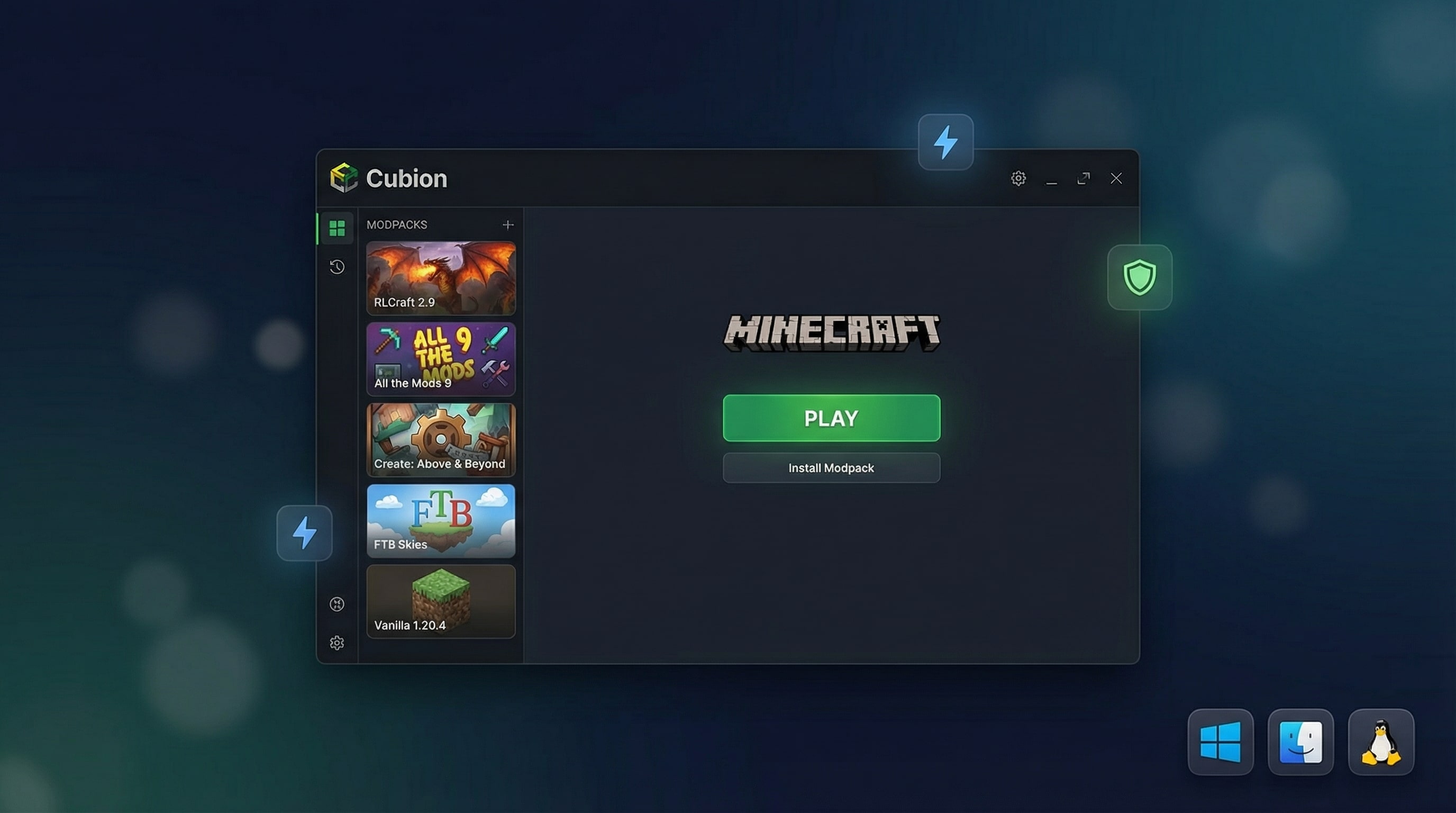
Cubion is a desktop Minecraft launcher for modpacks and mods. It uses only the official Microsoft / Mojang login and is currently available on Windows 10/11 (0.0.5), with macOS and Linux builds planned next.
You get one-click modpacks, smart crash recovery, fast downloads and no ads.
Short answer: if you need a safe, ad-free Minecraft launcher for modded Minecraft on Windows, Mac or Linux with official Microsoft / Mojang login, Cubion is built exactly for that.
Free • Official-only accounts • Ad-free
The Minecraft launcher built for modpacks and mods
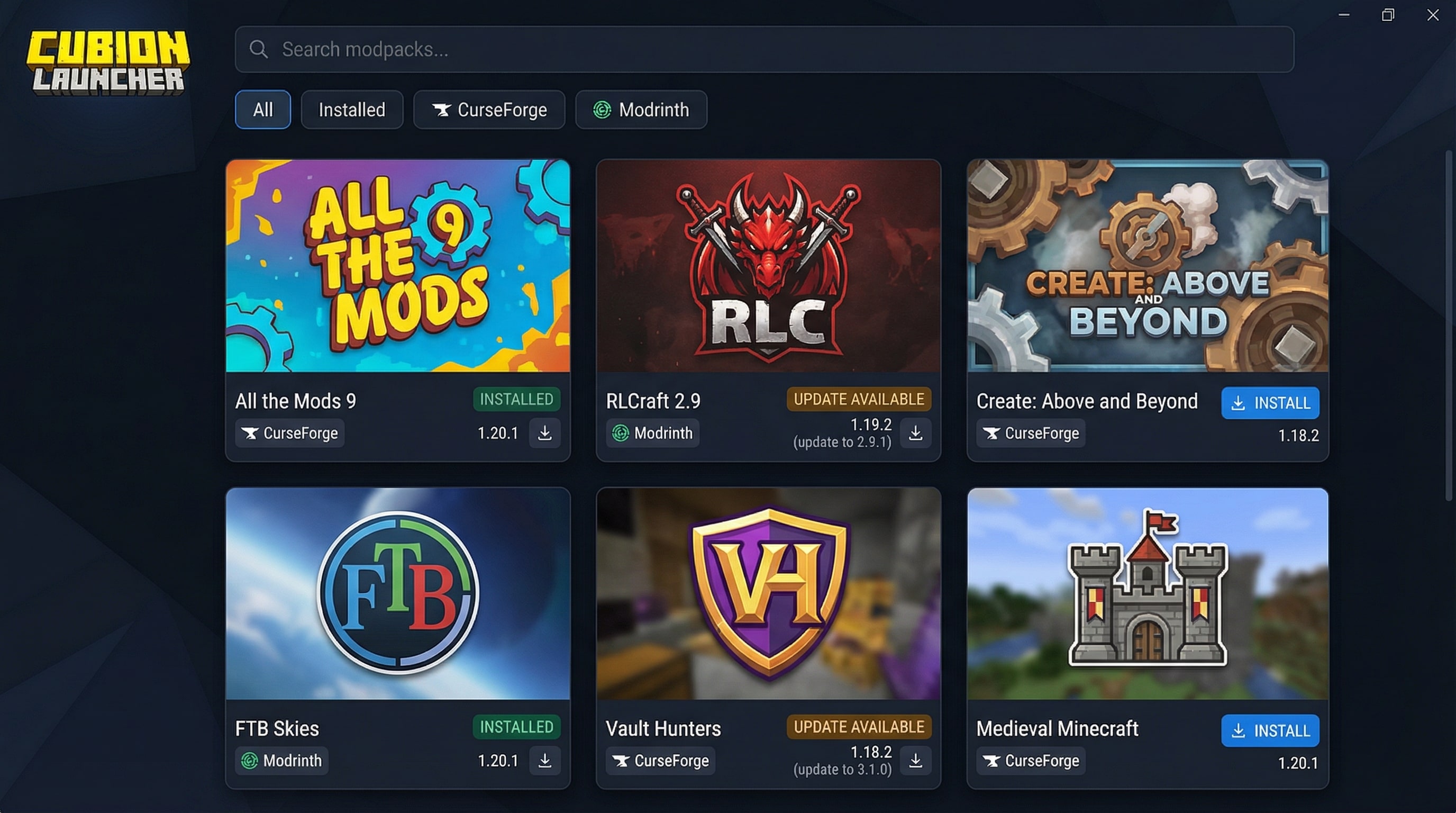
Most launchers start as simple vanilla launchers and only later try to support mods. Cubion was designed from the beginning as a dedicated Minecraft launcher for modpacks and heavily modded Minecraft.
With Cubion, you can:
- Install modpacks from CurseForge and Modrinth in just a few clicks;
- Keep each modpack in a clean, separate instance;
- Share files between instances to save disk space;
- Quickly switch between different setups without breaking worlds.
If you're looking for a Minecraft launcher for modpacks and mods that makes modded Minecraft easier instead of more complicated, Cubion is built exactly for that.
Read our full comparison: The Best Minecraft Launcher for Modpacks and Mods in 2026 →
Why choose Cubion as your Minecraft launcher
Official Microsoft / Mojang login only
Cubion uses the official Microsoft / Mojang sign-in flow. That means:
- no "no-premium" / cracked accounts;
- no shady password windows;
- your account is authenticated exactly the same way as in the official Minecraft launcher.
If you want a Minecraft launcher that is safe, legal and future-proof, Cubion is focused on official-only accounts. This makes Cubion a safe Minecraft launcher alternative to cracked or "no-premium" launchers that can put your account at risk.
One-click modpacks and mods (CurseForge & Modrinth)
Cubion is a Minecraft launcher for modpacks and mods, not just a vanilla launcher with a mod folder.
You can:
- browse and install popular modpacks from CurseForge and Modrinth;
- add extra mods on top of your packs;
- update packs with a streamlined flow.
Instead of manually downloading and moving files, you manage modded Minecraft in one place, with a launcher built specifically for modpacks and mods.
Smart crash recovery and built-in Knowledge Base
Modded Minecraft can crash. Cubion helps you recover faster:
- Smart Crash Recovery detects common issues and suggests fixes;
- Integrated Knowledge Base explains how to improve performance, fix mod conflicts and restore corrupted worlds.
For common issues, Cubion links directly to troubleshooting articles on cubion.io, so fixes and performance tips are always one click away.
Open the Knowledge Base for detailed troubleshooting articles →
Free, ad-free and community-driven
Cubion is:
- free to download and use;
- ad-free inside the launcher;
- developed with feedback from the community.
You get a Minecraft launcher for mods and modpacks that respects your time and attention — with no ads, no paywall for core features and no bundled installers.
Minecraft launcher for Windows, Mac and Linux
Cubion is a truly cross-platform Minecraft launcher that works the same way on desktop, whether you're on Windows, macOS or Linux. You get one consistent Minecraft launcher for modpacks and mods across all supported systems.
Minecraft launcher for Windows 10 & 11
On Windows 10 and Windows 11, Cubion offers:
- a simple .exe installer;
- fast updates and downloads;
- smooth performance even with heavy modpacks.
If you're looking for the best minecraft launcher for windows 10 or best minecraft launcher for windows 11 to play modded Minecraft, Cubion gives you official login, one-click modpacks and built-in crash recovery in one place.
Minecraft launcher for Mac
On macOS, Cubion provides:
- a native .dmg installer;
- a clean, modern interface that feels at home on Mac;
- the same modpack and AI features as on Windows.
For players searching for a minecraft launcher for mac that actually supports modpacks, mods and modded Minecraft properly, Cubion is a strong alternative to traditional launchers.
Minecraft launcher for Linux
On Linux, Cubion is available as an AppImage, which makes setup simple on most major distributions.
Linux users often juggle different tools to get modded Minecraft running. Cubion aims to be your minecraft launcher for Linux with:
- official Microsoft / Mojang login;
- integrated CurseForge / Modrinth modpacks;
- the same fast, CDN-based downloads as on other platforms.
Choose your platform and download Cubion Minecraft launcher
Start with Cubion in 3 simple steps
Here's how to start using Cubion as your Minecraft launcher for modpacks and mods in three simple steps.
Step 1 – Download the launcher
Download the Cubion Minecraft launcher for your system (Windows 10/11, macOS or Linux) from the official page cubion.io/minecraft-launcher.
Step 2 – Sign in with your Microsoft / Mojang account
Use the official Microsoft / Mojang sign-in flow in your browser. Cubion never sees or stores your password directly — your account stays under your control.
Step 3 – Pick a modpack and press Play
Choose a modpack from CurseForge or Modrinth, or create your own instance for modded Minecraft, then click Play. Cubion downloads everything for you and keeps each modpack in a separate, clean instance.
FAQ about the Cubion Minecraft launcher
Q: What is Cubion?
A: Cubion is a desktop Minecraft launcher for modpacks and mods. It uses the official Microsoft / Mojang login and is currently available on Windows 10/11, with macOS and Linux support planned in upcoming releases.
Q: Is Cubion really free?
A: Yes. Cubion is free to download and use. We focus on providing a clean, ad-free Minecraft launcher experience with no paywall for core features.
Q: Is Cubion safe to use?
A: Cubion uses the official Microsoft / Mojang login process and does not support cracked or "no-premium" accounts. The launcher does not ask for your password directly — you authenticate through the official sign-in flow. For security, always download Cubion only from the official website cubion.io.
Q: What operating systems does Cubion support?
A: Cubion currently supports Windows 10/11 (version 0.0.5). macOS and Linux are temporarily unavailable while we prepare the next builds.
Q: Does Cubion work with CurseForge and Modrinth modpacks?
A: Yes. Cubion integrates with both CurseForge and Modrinth, so you can install, update and manage modpacks from the most popular Minecraft modding platforms inside one launcher.
Q: Does Cubion work with Forge and Fabric?
A: Cubion is built to work with the modloaders required by the modpacks you install, such as Forge or Fabric, so you can play most popular modpacks without manual setup.
Q: Can I use Cubion and the official Minecraft launcher together?
A: Yes. You can keep the official Minecraft launcher installed for vanilla or Bedrock, and use Cubion as your dedicated Minecraft launcher for modpacks and mods.
Q: How is Cubion different from other Minecraft launchers?
A: Cubion focuses on official-only Microsoft / Mojang accounts, one-click modpacks from CurseForge and Modrinth, built-in crash recovery and a clean, ad-free interface. Many other launchers either support cracked accounts, show ads or require more manual setup for modpacks.
Ready to try the Cubion Minecraft launcher?
Download Cubion for Windows